Android & iPhone
Android tracker permissions
You are deciding what an app may access on an Android phone you own or look after. Android answers that question in Settings, not in the app's marketing: every permission is listed, and you can change each one.
- 7–9 min read
- Verified October 2026
- Free guide, no account
Which group is the app in right now? Find the app under Settings › Location › App location permissions and pick the group it sits in.
State 1 of 5
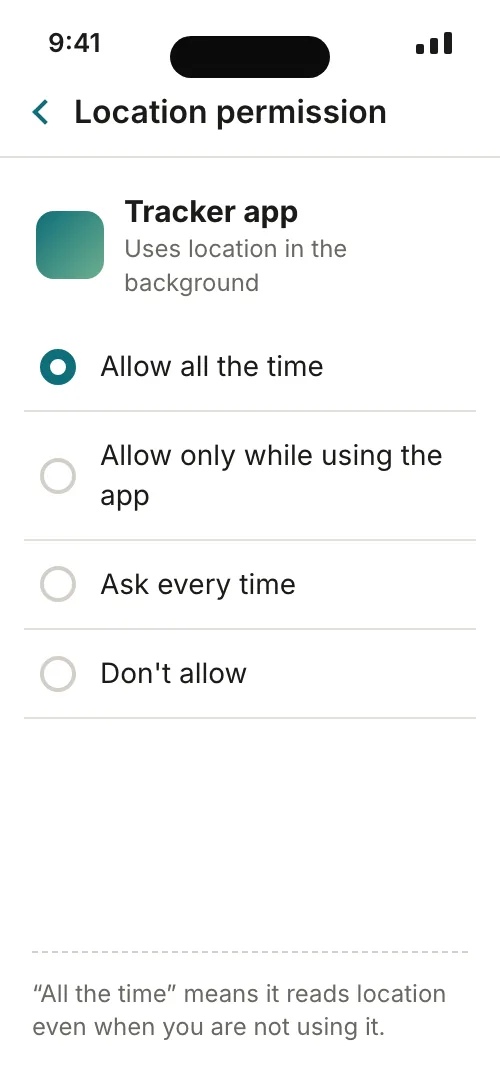
The widest access Android offers.
Google's help is plain: the app can use your location at any time, including when you are not using it. On Android 10 and later this needs its own background permission, so someone on this phone agreed to it at some point.
Do thisKeep it only if a feature you rely on must work while the app is closed; otherwise lower it to “only while in use”.
State 2 of 5
The usual right answer.
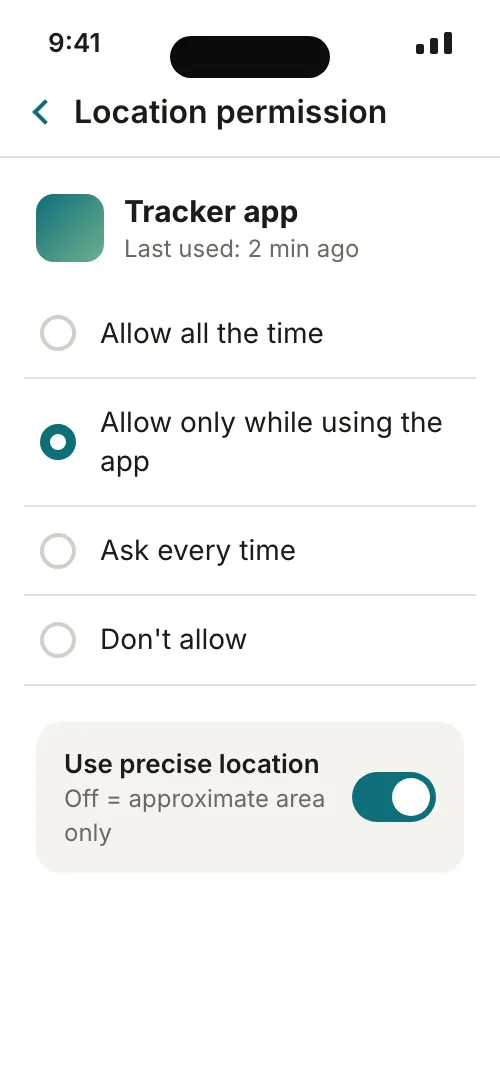
The app can use location only while you are using it. Android's developer guidance says most features need nothing more than this.
Do thisLeave it, and check that “Use precise location” matches the task.
State 3 of 5
You decide at each use.
Every time you open the app it asks again, and it can use location until you close it. Some apps offer a location button that shares a precise point for one session only.
Do thisGood for apps you open rarely; nothing more to change.
State 4 of 5
No location at all.
The app cannot use your location, even while you are using it. If a feature breaks, the app will usually ask again — and you can say no again.
Do thisIf you never use the app, consider removing it entirely.
State 5 of 5
It never asked for location.
Apps appear in the list only after requesting location. Under App info › Permissions › More › All permissions, a missing “Location” entry means the app has not asked for your device's location.
Do thisCheck its other permissions; location is only one of them.
Verdict
The owner decides
Android lets the owner review, for each app, whether it can use location all the time, only while in use, every time it asks, or not at all — and whether that location is precise or approximate. No app gets these permissions from a website, a link or a phone number; they are granted on the phone, through its own prompts and Settings.
Claim check
Android & iPhone
− Silent access to any phone
+ Permissions the owner grants and can take back
Verified · October 2026
Against Google Android Help, Google Play Help and Android Developers documentation
Why
On Android, the person holding the phone decides what each app may use. Settings › Location › App location permissions sorts every app into four groups — allowed all the time, allowed only while in use, ask every time, and not allowed — and a separate “Use precise location” switch decides how exact that location is. Location is only one permission: camera, microphone, contacts, SMS and call logs each have their own page. Check them one by one, on the phone itself.
How to check · 6 steps
How to read an app's permissions on Android
0 of 6 done
- 01
Open Settings › Location › App location permissions
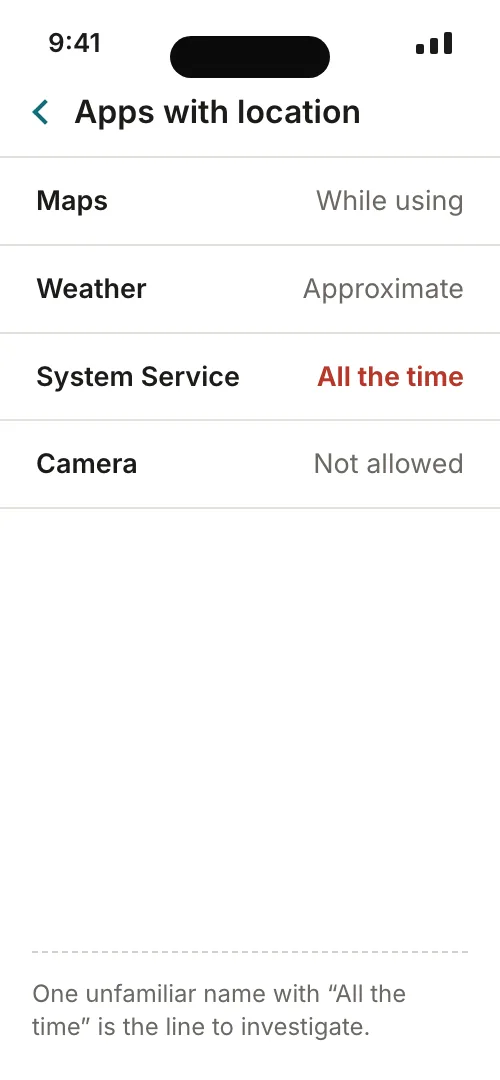
Google's help lists four groups — “Allowed all the time”, “Allowed only while in use”, “Ask every time or allow when I share” and “Not allowed”. Start with the first group: those apps can use location even when you are not using them.
- 02
Open one app's own page
Touch and hold its icon, tap App info › Permissions › Location. Pick the narrowest option that still makes the feature work, and look for the “Use precise location” switch underneath — it is a separate decision from when the app may ask.
- 03
Check the other permissions too
Settings › Apps › the app › Permissions shows everything it was allowed or denied. Camera, microphone, contacts, call logs, SMS, files and nearby devices are separate entries, each with its own Allow / Don't allow choice.
- 04
Look from the permission side
Settings › Security & Privacy › Privacy › Permission manager lets you tap one permission type, such as Location or Microphone, and see every app that holds it. This is the quickest way to spot an app you forgot about.
- 05
See what was actually used
The privacy dashboard (Settings › Security and Privacy › Privacy dashboard) shows which apps accessed a permission and when — the last 7 days on Android 13, the last 24 hours on Android 12.
- 06
Write down the result
A short note — app, permission, setting, date — makes the next review a two-minute job and shows you whether anything changed.
Reading a location pin and its timestamp
Illustration of what an app with location permission receives: an estimated point and a time, not a live feed. Not a real interface.
- 1 · An estimated pointnot the exact spot
- 2 · Precise or approximatethe owner chooses, per app
- 3 · Only while in use — or all the timethe owner decides the window
- 4 · A time, not a live feedeach point is a single report
Edge cases · 6
Edge cases — where the settings stop
- 01
Menu names differ by maker
Google's steps are written for Pixel and stock Android, and some work only on Android 11 and up. Other makers may rename or move entries; if a path does not match, Google's own advice is to ask the device manufacturer.
- 02
Older Android bundled background access
Before Android 10, an app that got location while in use automatically received background access as well. On an older phone, review each app's App info page rather than relying on the four-group list Google describes for newer versions.
- 03
Unused apps
Android can pause an app you have not used for a long time: it frees temporary files, revokes permissions and stops it running in the background. The switch is “Pause app activity if unused” under the app's settings.
- 04
A permission is not a sharing list
The location permission says what the app may read. It does not show who sees the result inside the service — a family app or map share has its own list of people, which you check in that app.
- 05
Camera and microphone have a master switch
Besides each app's own page, Google describes Settings › Security & privacy › Privacy › Privacy controls, where Camera access and Microphone access can be turned off for every app at once. Location is handled per app on the pages above.
- 06
Developer-declared labels
The monthly notice about apps changing their location-sharing practices, and the Data safety label in Google Play, are both statements made by the developer. Google says a missing notice does not mean the app does not share data.
Compare · 4 options
Android's location options side by side
| All the time | Only while in use | Ask every time | Don't allow | |
|---|---|---|---|---|
| When the app can read location | At any time, even when closed | Only while you use it | Each session, after it asks | Never |
| Typical honest use | Continuous family sharing or geofence alerts | Navigation or a delivery you are following | A rarely used app that asks first | An app with no location feature |
| Extra step on Android 10+ | Separate background permission | None | None | None |
| Reminder from Android | Notification after first background use | No | Prompt each time | No |
| Precise switch available | Yes | Yes | Yes (per session on some apps) | Not applicable |
| Where to change it | App info › Permissions › Location | Same | Same | Same |
Match access to the task
- 01A feature used while the app is open
- Start with “Allow only while using the app”. Move to “all the time” only if the feature visibly fails without it, and write down why.
- 02An approximate result is sufficient
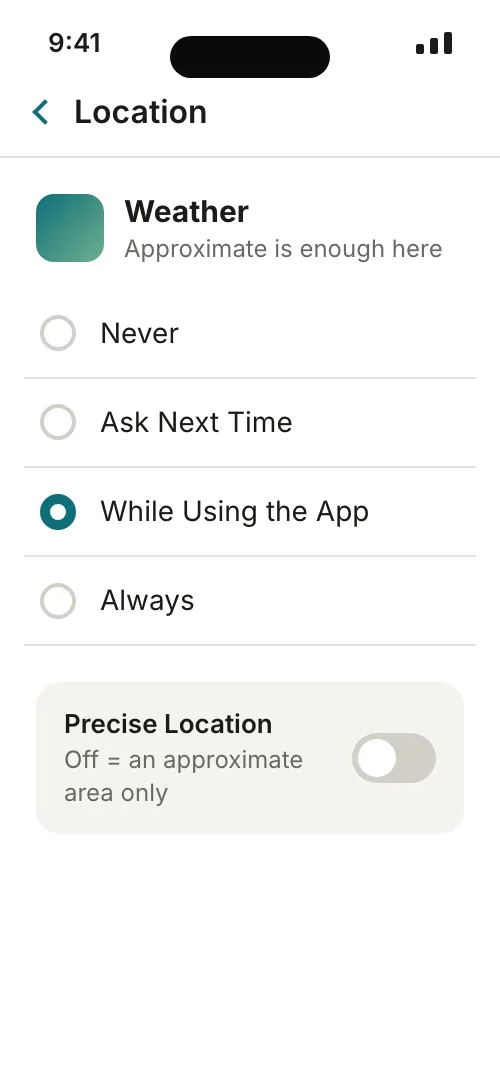
- Turn “Use precise location” off. Android's approximate location covers an area of about 3 square kilometres — enough for weather or local news, not for a street address.
- 03No location feature is needed
- Set location to “Don't allow” and check the rest of the app's permissions; contacts, SMS or microphone access deserve the same question.
- 04You want a pause, not a deletion
- Turn on “Pause app activity if unused” so Android removes permissions automatically if the app sits idle.
The honest limit
Menu labels vary across Android versions and manufacturers, so treat every path on this page as a map of where to look rather than the exact words on your screen. This guide covers phones you own or manage for a child in your care; another adult's phone is theirs to configure.
A permission is granted on the phone, by the person using it, through Android's own prompt or Settings. No website, link or phone number can switch on an Android permission from outside, and no service can read an app's permissions on a phone it has no access to. If a service promises to “enable location remotely”, it is describing something Android's official help does not describe.
Official sources (checked October 2026)
Show 6 official pages
- Android Help — Manage location permissions for appssupport.google.com
- Android Help — Change app permissions on your Android phonesupport.google.com
- Android Help — Manage permissions from the privacy dashboardsupport.google.com
- Android Help — Delete, disable and manage unused appssupport.google.com
- Android Help — Find out if your apps share your location datasupport.google.com
- Android Developers — Location permissions (foreground, background, accuracy)developer.android.com
FAQ · 7 questions
Questions people ask
Where do I see every app that can use location on Android?
Settings › Location › App location permissions. Apps are grouped under allowed all the time, allowed only while in use, ask every time or allow when I share, and not allowed. Tap any app to change its group.
What is the difference between “all the time” and “only while in use”?
With “all the time” the app can use location even when you are not using it. With “only while in use” it can read location only while you have the app open. Most features need only the second.
What does “Use precise location” change?
It decides how exact the location is. Off, the app gets an approximate area of about 3 square kilometres; on, it can get the device's exact location. It is a separate switch from when the app may ask.
Can I share a precise location just once?
On some apps, yes. Google's help says some apps let you share your precise location for a single session only. Outside that session the app's normal setting applies, so check the app's Location page afterwards.
My phone's menus look different from these steps. Why?
Google writes its steps for Pixel and stock Android, and some only work on Android 11 and up. Other makers rename menus. Google's advice is to ask the device manufacturer if the steps do not match.
Does Android remove permissions from apps I never open?
It can. When an app is unused for a long time Android may revoke its permissions and stop it running in the background. Check “Pause app activity if unused” on the app's page.
Can someone change these permissions on my phone from a website?
No. Android's permissions are changed on the phone through its own prompts and Settings. Google's help does not describe any way to grant them from a website or a phone number.